Costa News Spain Breaking News | English News in Spain.

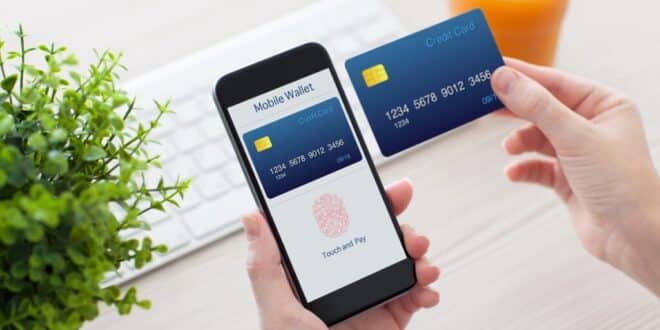
Adding your bank card to your phone is now easier than ever with Google’s new NFC feature—but remember to stay vigilant about your card’s security.
Credit : DenPhotos & Shutterstock
You’ve probably noticed that your Android phone gets smarter and smarter every time you update it. Sometimes it feels like you’re just one step away to making your morning coffee with your smartphone. Google’s latest big update may make you think twice before jumping on board.
With the new Android 16 update on the way—soon to hit Samsung, Xiaomi, Honor, Oppo, OnePlus and plenty more—Google’s rolling out a feature that lets you save your bank card to your phone in literally seconds. You’ll no longer have to squint at tiny numbers, or struggle with taking photos that are never sharp enough. You’ll just tap your card against your phone, and voilà, it’s ready to use for payments.
Doesn’t that sound like a wonderful dream? You’ll have to do less work at the checkout and there will be fewer chances of typing your details incorrectly. Plus, you can pay by tapping. But before you get too comfortable, it’s worth thinking about what this means for your security—and what you might need to watch out for.
Save your bank card using NFC: New Android feature.
What’s the secret? NFC or Near Field Communication is responsible for this. Most modern phones already use this tech for contactless payments—if you’ve ever hovered your phone over a card reader in a shop, that’s NFC in action. Google’s latest update allows you to use the same feature for saving a card quickly to your device.
AndroidAuthority found that the process is indeed as easy as it seems. The process will be much easier than manually entering your 16-digit card numbers or taking a blurry photograph. You can add your card by holding it close to your phone and letting the magic happen.
If you are someone who is always losing their wallet behind the couch, this may seem like the most exciting news of the year. Like most things which sound too good-to-be true, this one has a little snag.
Easy for you… Or easy for someone else?
This is where things get a little tricky. Unfortunately, anything you do to make your life easier could also be done by someone who is trying to harm you. What’s to prevent someone from saving your card with a simple tap if you give them your card for even a few minutes?
Google is not stupid anymore. They’ve added a little safety step—you’ll still need to pop in your CVC code, the three little digits on the back of your card, before it’s fully saved to your phone. It’s comforting, but not foolproof. If someone manages to get hold of your card, even briefly, they could—at least in theory—register it to their own device.
The incident is a great reminder that despite our smart phones, we need to still use common sense. Don’t hand your card over to anyone you don’t trust, and never leave it lying around—especially not in a busy pub or restaurant. Act quickly if your card is ever lost: Check your transactions, freeze your card if necessary, and notify your bank immediately.
Google Card Saving: Is this really secure and worth using?
Should you use Google’s new card-saving function? Honestly, it’s a real time-saver and could make paying for things a breeze—especially if you’re someone who does everything on your mobile anyway. It’s still not an excuse to become complacent. The basics of safety don’t change, even though technology changes quickly.
Don’t forget to keep your bank card handy, and be cautious of anyone who asks to borrow it, even for a moment. If you ever feel something is off, call your bank. At the end of the day, Google’s new feature is all about making life a bit easier—but your security still comes first.